
Your jobs, in view.
The dashboard is an optional Blazor WebAssembly client. Your browser renders the interface; Flywheel handles API requests and SignalR updates. You can run jobs without the dashboard.
Try the demo
This demo uses Redis, one of several supported storage mechanisms. To run it, use .NET 10 with Redis at localhost:6379:
git clone https://github.com/soenneker/soenneker.flywheel.suite.git
cd soenneker.flywheel.suite
dotnet dev-certs https --trust
dotnet run --project test/Soenneker.Flywheel.Demo
# In a second terminal:
dotnet run --project test/Soenneker.Flywheel.Dashboard.Demo
Open https://localhost:7039 and sign in with admin / flywheel-demo. These credentials are for the local Development demo. Run the engine and dashboard commands in separate terminals. Press Ctrl+C in both to stop them.
Find and inspect work
- Use the overview to search jobs and filter by state.
- Open a job to inspect its attempts, timing, and captured
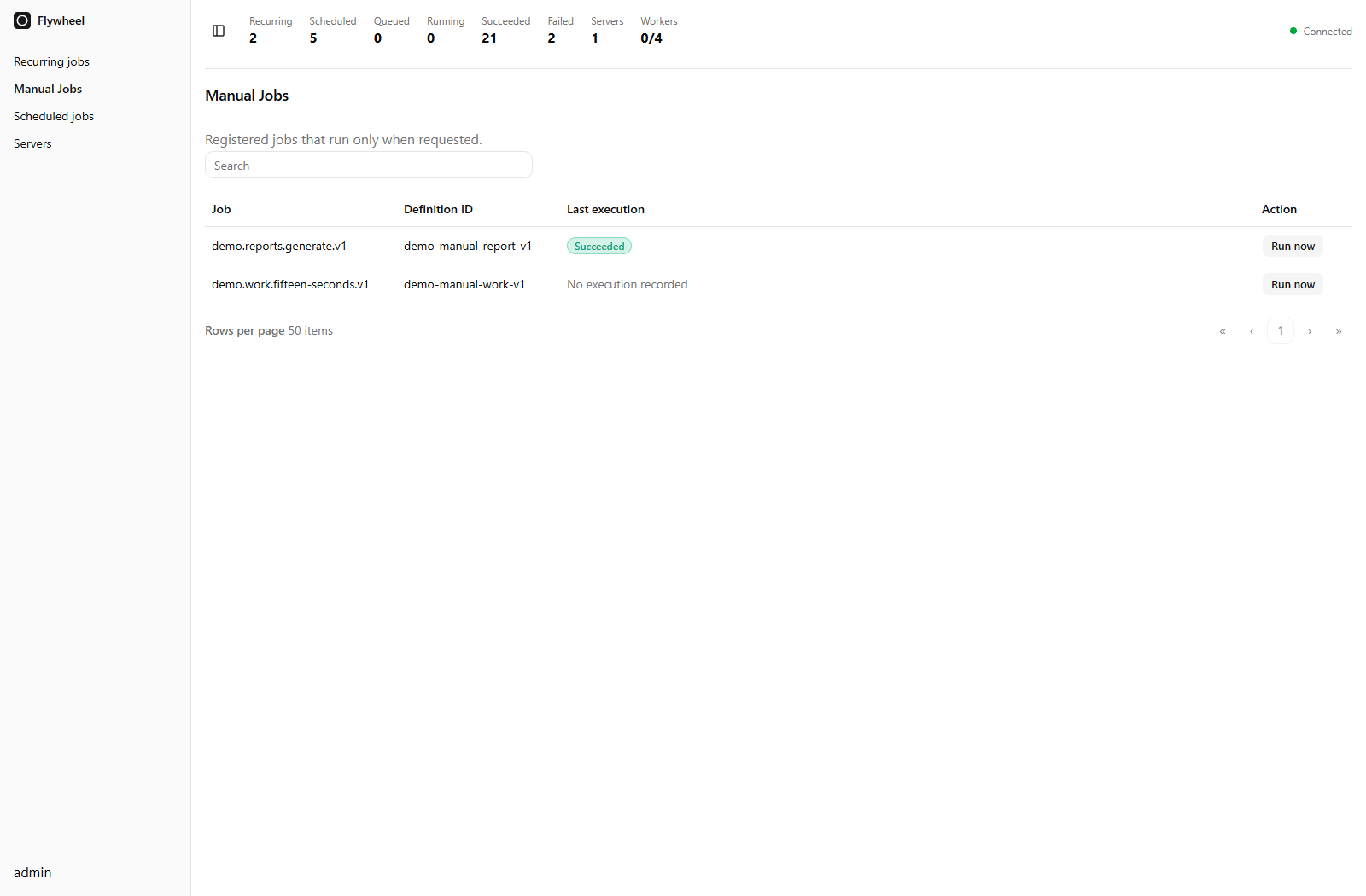
ILoggeroutput. - Open Manual Jobs to launch a registered job on demand and inspect its latest execution.
- Open Scheduled for pending jobs and retries, or Recurring to inspect schedules and run one now.
Manage work
The … menu offers Top of queue, Bottom of queue, Run now, cancellation, or Run again according to the job's state. On manual and recurring definitions, Run now creates a fresh execution; queue moves target the latest queued execution.
Servers shows capacity and active work per pool. Execution tables show the latest attempt's duration, and server details identify its worker pool. Configure pools to reserve workers for specific workloads.
Add it to your application
Install the package in a Blazor WebAssembly app:
dotnet add package Soenneker.Flywheel.DashboardRegister the client in its Program.cs:
using Soenneker.Flywheel.Dashboard.Registrars;

builder.Services.AddScoped(_ => new HttpClient
{
    BaseAddress = new Uri(builder.HostEnvironment.BaseAddress)
});
builder.Services.AddFlywheelDashboardAsScoped();
Use the WebAssembly demo for the host page, Quark styles, and router. Use FlywheelRouter in the host to match dashboard routes explicitly, without assembly scanning.
Connect the server
On the ASP.NET Core host, add dashboard services to your Flywheel registration:
.AddDashboard(options =>
{
    options.Username = builder.Configuration["Flywheel:Dashboard:Username"]!;
    options.PasswordPhc = builder.Configuration["Flywheel:Dashboard:PasswordPhc"]!;
})
Import Soenneker.Flywheel.Core.Registrars. Configure a PBKDF2 password PHC string, then map the authenticated API and SignalR hub. The complete sample server includes password hashing, authentication, rate limiting, and endpoint setup.
Serve the client and API over the same HTTPS origin. Static WebAssembly files can be delivered by a CDN or Cloudflare Worker, with API and WebSocket traffic routed to the ASP.NET Core backend. Static hosting alone does not run Flywheel or connect to job storage.
UI rendering stays in the browser. API queries and live updates still consume backend resources.
System jobs
Built-in routes
| Route | Page |
|---|---|
/flywheel | Activity and job search |
/flywheel/signin | Sign in |
/flywheel/manual | Manual Jobs and Run now |
/flywheel/recurring | Recurring schedules |
/flywheel/scheduled | Pending jobs and retries |
/flywheel/jobs/{JobId} | Execution details and logs |
The default home is /flywheel. With FlywheelRouter, setting HomePath = "/" serves the dashboard at the root without an Index.razor wrapper. Other host pages can be rendered explicitly through its NotFound fragment. See the routing guide to host it at /.