
Background work.
Everything in view.
Schedule, retry, and chain jobs with your choice of storage. Follow every execution in a live Blazor dashboard.
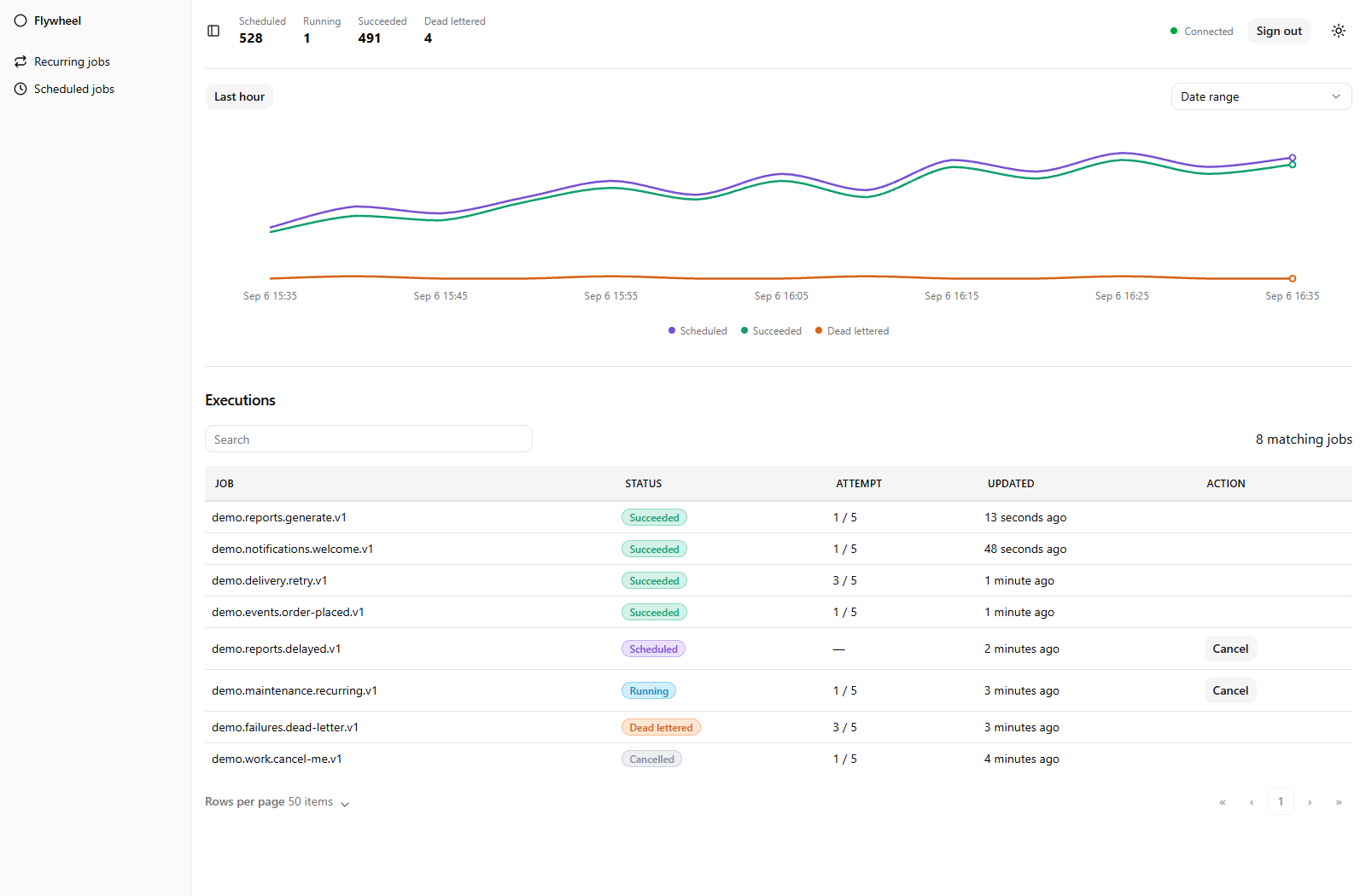
Keep the work moving.
From a single queued task to a recurring workflow.
Run on your schedule
Queue work now, register manual jobs for operators, delay work until later, or use recurring cron schedules with time-zone support.
Give failures a path forward
Control retry backoff and attempt limits. Cancel work or mark jobs as failed when attempts are exhausted.
Make the next step automatic
Chain jobs so each step follows a successful execution, waiting through retries along the way.
Keep workers coordinated
Reserve workers for named pools and choose which jobs they run. Shared leases, concurrency limits, and rate limits coordinate work across instances.
One client. Your schedule.
Enqueue now, run later, or make it a routine.
Enqueue
Save a job to your configured storage. Let a background worker pick it up.
await client.Enqueue(
    FlywheelJobs.MessageJobs_Write,
    new Message("Hello from Flywheel"));
Delay
Give a job a little time before it becomes eligible to run.
await client.Enqueue(
    FlywheelJobs.MessageJobs_Write,
    new Message("In ten minutes"),
    delay: TimeSpan.FromMinutes(10));
Schedule
Choose a specific time for a one-off job.
await client.Schedule(
    FlywheelJobs.MessageJobs_Write,
    new Message("Tomorrow at this time"),
    DateTimeOffset.UtcNow.AddDays(1));
Manual Jobs
Register reusable work, then launch it explicitly from code or the dashboard.
await client.Manual("manual-message", FlywheelJobs.MessageJobs_Write,
    new Message("Requested by an operator"));

await client.RunManual("manual-message");
Recurring
Repeat a job at a fixed interval with a stable schedule ID.
await client.Recurring(
    "hourly-message", FlywheelJobs.MessageJobs_Write,
    new Message("Every hour"),
    TimeSpan.FromHours(1));
Cron
Run every weekday at 9 a.m. in the time zone you choose.
await client.Schedule(
    "weekday-message", FlywheelJobs.MessageJobs_Write,
    new Message("Good morning"), "0 9 * * MON-FRI",
    timeZoneId: "America/Chicago");
These examples use the typed job from the setup guide and an injected IJobClient. Reusing a manual, recurring, or cron ID leaves its existing definition unchanged.
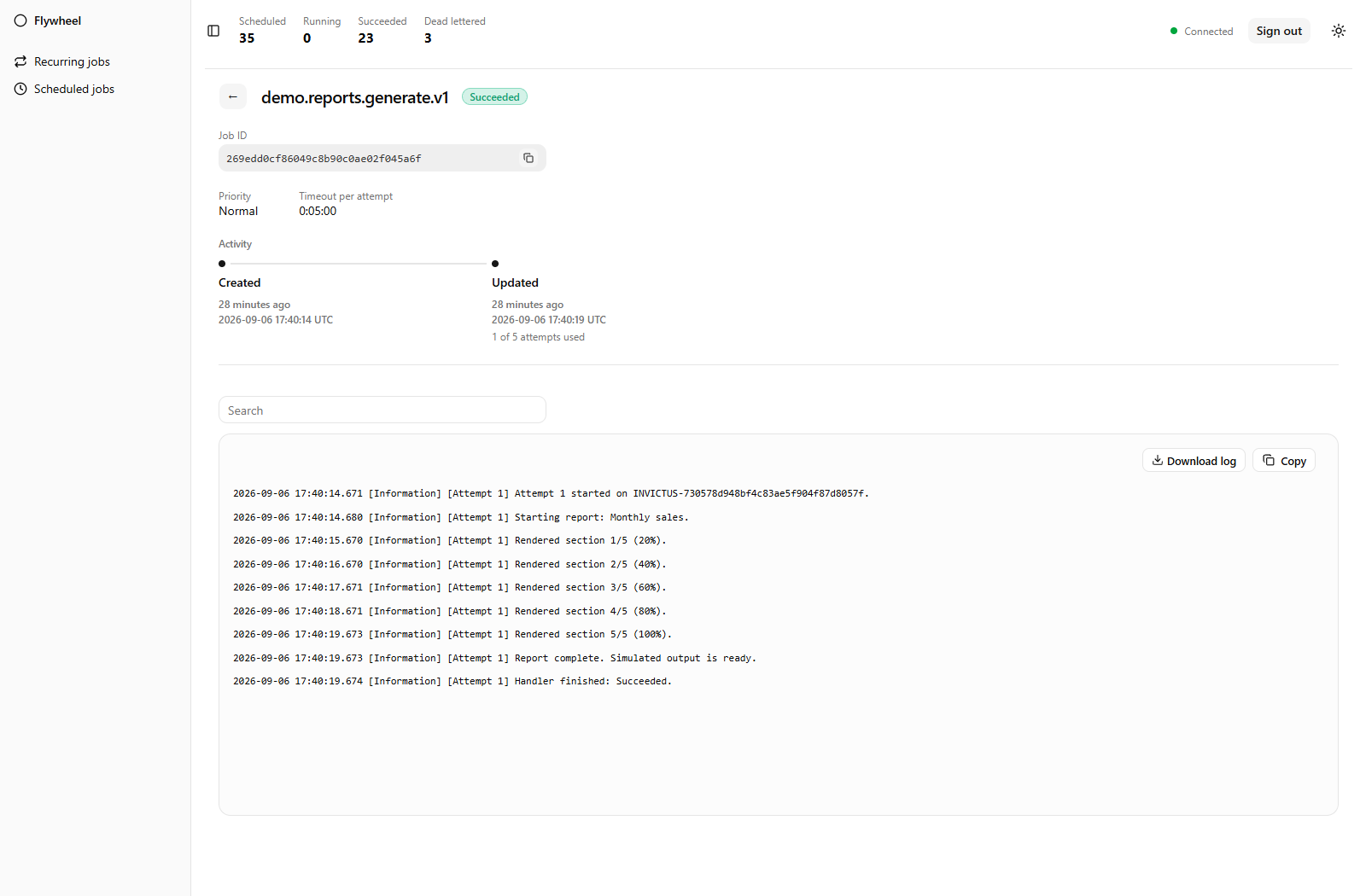
See what happened.
Know where to look.
Go from a job's state to its execution history. Inspect attempts, timing, and captured ILogger output in one place.
Built to fit your .NET app.
Typed jobs. Direct calls.
The source generator creates typed invokers at build time, making job dispatch friendly to ahead-of-time (AOT) compilation without runtime reflection. Application compatibility also depends on your host, storage, and serialization configuration.
Your browser handles the UI.
The Blazor WebAssembly dashboard connects over HTTP and SignalR. UI rendering stays in the browser; your server handles jobs, API requests, and live updates.
Your next job
starts here.
Add the packages. Choose your storage.
Enqueue your first typed job. Redis is one of several supported storage mechanisms.
builder.Services.AddFlywheel()
    .AddRedis(options =>
        options.ConnectionString = "localhost:6379")
    .AddGeneratedJobs();

await client.Enqueue(
    FlywheelJobs.MessageJobs_Write,
    new Message("Hello from Flywheel"));